
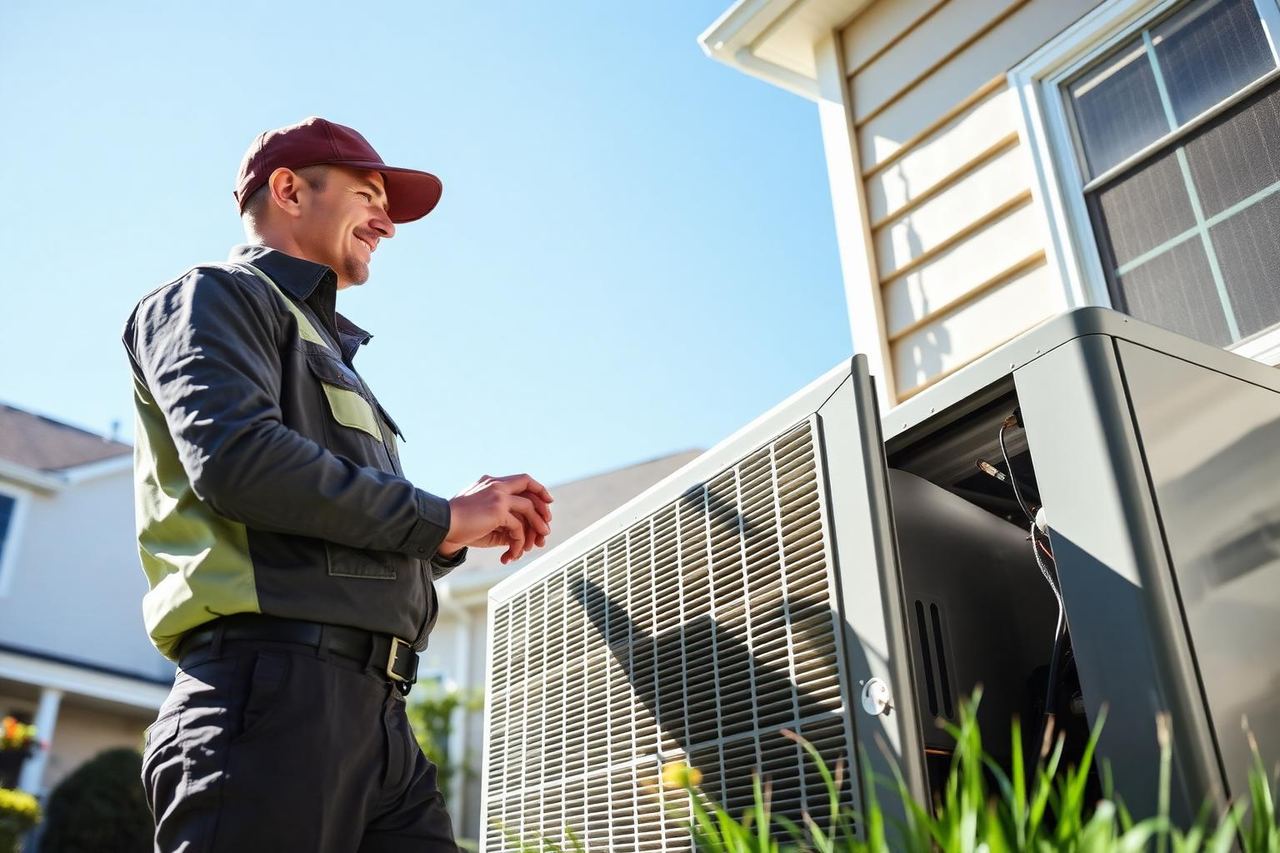
Send a photo
Show us the problem. We'll come ready to fix it.
Describe what's happening and attach photos of your system. Seeing the equipment first means the right parts, tools and time — and a faster visit.
Why send photos?
We arrive prepared
A picture of the unit, the model plate or the leak tells us what to bring before we leave the shop.
Faster answers
Our technicians can often spot the cause from a photo and explain the likely fix and cost over the phone.
Nothing to pay now
Sending a request is free. We call you back to agree a time before anyone is dispatched.
Good photos to take
- • The outdoor condenser and the indoor unit, from a few feet back
- • The model or rating label on the side of the equipment
- • The thermostat showing the temperature or error code
- • Any water, ice, rust or wiring that looks wrong
No time for photos?
Call and describe the problem — we answer nights, weekends and holidays.
Call (609) 248-6446Rather just pick a time? Book online.
Tell us what's going on
Takes about a minute. Photos stay private and are only seen by our team.
Help us understand your heating or cooling problem
A useful service request explains what changed, where you noticed it, and which equipment is affected. Photos add context, but they cannot confirm every fault. Electrical testing, airflow measurements, refrigerant checks and combustion testing may require an on-site assessment.
What to include in your description
Tell us whether the system has stopped completely, runs without heating or cooling, or behaves differently in certain rooms. Include when the problem began and whether it is constant or intermittent.
- The thermostat setting, room temperature and any displayed error message.
- Unusual sounds, odors, visible water or ice, and where you noticed them.
- Which rooms are affected and whether airflow feels weaker than usual.
- The equipment brand, model and approximate age, if you know them.
- Recent maintenance, filter changes or a power interruption before the problem started.
You do not need to diagnose the fault yourself. Describe what you observe rather than guessing which part needs replacing, and mention any checks you have already made.
Take photos without opening the equipment
Start with a clear overview, then take a closer photo of an accessible model label or the visible problem. Use good lighting and check that label text is readable before attaching the image.
- Keep covers and access panels in place; do not touch wiring or moving parts.
- Photograph outdoor equipment from a safe standing position, not from a ladder.
- Show water or ice from a distance without stepping into standing water near electrical equipment.
- Keep people, mail, identification documents and unrelated personal information out of the frame.
Photos are optional. You can send a description without them, or call if you cannot safely reach the equipment. The form accepts up to six images, with a maximum of 9MB per image.
When a service request is not the right first step
Do not wait for an online response if you smell gas, see smoke or fire, or hear a carbon monoxide alarm. Leave the building and call 911 or your gas utility from a safe location. Do not operate electrical switches or try to restart the equipment when a gas leak is suspected.
For a loss of heating or cooling without an immediate safety hazard, call (609) 248-6446 if you need to discuss the problem directly. An online request is not an emergency dispatch or a confirmed appointment.
Service, replacement or a free quote?
Choose the service that best matches your equipment. For an existing system, explain the symptoms and include its model if available. For replacement or installation, describe the space, the existing system and what you want to improve, such as uneven temperatures or unreliable operation.
Include the service location so we can discuss availability for your area. Your photos and contact details help our team follow up; they are not added to the public job gallery by this form.
Explore our heating and cooling services, request a free quote, or use online booking to send your preferred visit details. Our team will follow up to discuss the next steps.
When will we respond?
After sending the form, look for the request-received message. Include a phone number where you can be reached and mention a convenient callback window in your description. Keep your email address accurate so you can receive the request confirmation.
We follow up to discuss the problem and arrange the next step. An exact callback or arrival time is not confirmed by submitting this form. If you need an immediate conversation about heating or cooling trouble, call (609) 248-6446 rather than waiting for an online reply.
Heating and cooling requests in New Jersey
General Air Pro serves these New Jersey towns and surrounding communities. The counties below identify each town’s location; they do not mean that every address in a county is covered.
- North Arlington, NJ — Bergen County
- Princeton, NJ — Mercer County
- Edison, NJ — Middlesex County
- Woodbridge, Piscataway and New Brunswick — Middlesex County
- Bridgewater — Somerset County
- Montclair, Bloomfield and Nutley — Essex County
Check our New Jersey service areas for the current town list. If you are unsure whether your address is covered, contact us before making plans for a visit. Availability and the appointment time must be confirmed with our team.
Central air conditioning: describe airflow and cooling separately
Air moving through the vents does not necessarily mean the air conditioner is cooling correctly. Tell us whether the air feels warm, barely moves, or starts cool and becomes warm later. Note whether all rooms are affected or only an upstairs room, addition or distant part of the house. These observations help distinguish a property-wide complaint from a room-specific airflow issue.
If you can see the outdoor unit safely, describe whether it appears to be running when the thermostat calls for cooling. Do not reach through its grille or remove a cover to investigate. Mention ice on an accessible pipe, water near the indoor unit or a recent filter change. Repeatedly lowering the thermostat will not resolve a fault, and restarting a system repeatedly can hide the sequence of symptoms that a technician needs to understand.
- Example: “Cooling is set to 74°F, the house is 80°F, and every vent blows warm air.”
- Example: “The downstairs cools normally, but the upstairs bedroom has weak airflow.”
Furnaces and boilers: identify how heat reaches your rooms
A furnace generally distributes warm air through ducts, while a boiler may supply radiators, baseboards or radiant heating. Tell us which you have and whether it uses gas, oil or electricity, if known. If you cannot identify the fuel or equipment, leave that detail unknown rather than guessing. A photo of an accessible label can help our team identify the system.
Describe whether the equipment never starts, shuts down soon after starting, or runs without warming the property. For a boiler, mention whether every heating zone is affected or only one, and whether domestic hot water has also changed. Record a visible display message without opening panels. Do not reset burners repeatedly, relight unfamiliar equipment, add water to a hot boiler or bypass a safety switch. Gas odors and carbon monoxide alarms require leaving the building and seeking emergency help, not submitting photos or waiting for a callback.
Heat pumps and ductless systems: explain the operating mode
A heat pump can provide both heating and cooling, so include the selected mode along with the thermostat setting and room temperature. On a ductless system, identify which indoor units are affected and whether other units continue to work. Note any displayed code exactly as shown; the meaning depends on the manufacturer and model, and a code alone is not a complete diagnosis.
In cold weather, a heat pump may temporarily change its sound or release steam during defrost. Persistent heavy ice, repeated shutdowns or an inability to maintain temperature deserve a service discussion. Explain how long the condition lasts and whether normal heating resumes. Never chip ice from coils, pour hot water over electrical equipment or force a fan to turn. For a ductless unit dripping indoors, describe where water appears and whether the leak happens only during cooling. Photograph the visible condition without removing the unit’s casing.
Uneven temperatures, humidity and ductwork concerns
A room that feels uncomfortable does not automatically need larger equipment. Airflow, insulation, sunlight, thermostat placement and duct condition can all affect comfort. Tell us which rooms are different, the time of day you notice it and whether doors are usually open or closed. Mention an addition, recent remodeling or a change in how the space is used.
For humidity concerns, describe whether the house feels damp while cooling runs, whether there is condensation, and whether the concern is seasonal or constant. If you already have a humidity reading, include it with the location and time measured. Do not close most supply vents in an attempt to redirect air; restricting airflow can create other problems. Accessible photos of a damaged duct or disconnected register are useful, but do not enter an unsafe attic or crawlspace to collect them. Tell us where access is restricted so we can discuss the assessment.
Installation requests: define the space and the project
For new heating or cooling equipment, explain whether you are replacing an existing system, adding comfort to a room or planning a whole-property installation. Describe the current equipment and the rooms it serves, along with concerns such as noise, frequent repairs or poor temperature control. If you rent or live in a condominium, mention who can authorize work and whether the building has installation restrictions.
A useful free-quote request can include accessible equipment photos, the property type and the intended indoor and outdoor locations. Photos cannot establish the correct system capacity, electrical requirements, duct suitability or permit scope. Those details require a project review, and an existing unit’s size is not proof that its replacement should have the same capacity. Share any planning deadline without assuming the form reserves an installation date. Our team can discuss the information needed to prepare the next step.
Keep your request useful and your personal details private
Include a service address or enough location information to identify the property, especially when similar street names exist in nearby towns. If the system is in a shared building, describe the unit or floor and who can provide access. Mention parking restrictions and locked gates, but do not put door codes, alarm passwords or payment details in the description or photos. Discuss sensitive access arrangements directly when the visit is confirmed.
If you already sent a request, call with your name and service location to discuss a change rather than submitting multiple versions of the same problem. Tell us if your callback number, availability or symptoms have changed. A request-received message confirms submission, not a diagnosis, repair authorization or reserved arrival time. Keep a record of the symptoms you reported so you can explain any new developments during the follow-up conversation.
Recording an intermittent problem
Some faults appear only after the equipment has operated for a while, during unusually hot or cold weather, or when a particular zone calls for heating. A short observation record can help explain that pattern. Note the approximate time, thermostat mode, room temperature and what happened immediately before the problem. Record whether the system recovered by itself or remained off. Do not repeatedly restart it simply to reproduce the fault, especially when there are unusual odors, smoke or water near electrical equipment.
If you already have a safe recording of a noise, describe the sound and where it seems to come from in the request. This form accepts images, so do not assume a video or audio file will attach. Mention that another recording is available and discuss a suitable way to share it during follow-up. Write down an error message before it disappears, but never open a control panel to look for one. An intermittent symptom can still deserve investigation even if the equipment seems normal when you submit the request.
Filter information that helps explain airflow complaints
If you recently changed the filter, include the replacement date, the printed size and any rating you can read from its packaging. Tell us whether the comfort problem appeared before or after the change. Filters vary in thickness, resistance and recommended replacement intervals, so a universal schedule is not appropriate for every system. A washable filter and a disposable filter also require different care. Follow your equipment instructions and do not operate without a filter unless a qualified professional specifically directs it for an assessment.
Do not buy a more restrictive filter solely because it has a higher filtration rating. Your system must be able to move the required air through it. Mention if the filter collapses, becomes wet, loads with dust unusually quickly or does not seem to fit its holder. Do not reach into a moving blower or open unfamiliar equipment to inspect the filter. When access is unsafe, leave it for the visit. These details provide context for airflow testing; a filter photograph cannot measure the system’s actual air delivery.
Water near heating or cooling equipment
Describe the exact location of water: below the indoor air conditioner, beside the furnace, around a boiler pipe or under a ductless indoor unit. Say whether it appears while cooling, while heating or when the system is idle. Mention whether it is a slow drip, a damp area or active pooling. An accessible wide photo can show the relationship between the water and equipment without requiring you to identify a drain, pump or valve.
Water near electrical equipment can be dangerous. Do not step into standing water, touch wet controls or use an extension cord to run equipment nearby. If you can safely stop operation using a dry, accessible thermostat, do so, but do not approach wet electrical panels. Active flooding or a dangerous electrical condition needs immediate attention through the appropriate emergency service. A photo request is not a way to monitor a developing hazard. Once the area is safe, our team can discuss whether HVAC drainage, piping or another source needs investigation.
Noises and odors: report the pattern, not a guessed cause
Describe a new sound using ordinary words such as rattling, scraping, humming, banging or whistling. Explain whether it happens at startup, during operation or when the system stops, and whether it is coming from the indoor equipment, outdoor equipment or an air opening. A sound alone does not establish which part has failed. Do not touch a fan, remove a grille or tighten internal components while the equipment is powered.
For odors, describe what you noticed and when it began, but prioritize safety. A suspected gas leak, burning smell with smoke or carbon monoxide alarm requires leaving the building and contacting emergency help from outside. Do not wait for an online response or try to locate the leak yourself. Other recurring odors may involve moisture, dust or a source unrelated to the HVAC system, and may need an on-site assessment. Mention recent cleaning products, painting, renovation or a filter change if they preceded the concern, without assuming they are the cause.
Describe thermostat behavior without changing wiring
Tell us whether the thermostat display is blank, shows a warning or appears normal while the equipment does not respond. Include the heating or cooling mode, the fan setting and whether a schedule is active. A fan set to run continuously can move air between heating or cooling cycles, so mention whether air movement continues when the temperature setting is satisfied. If several thermostats control separate zones, identify which one has the problem.
Mention a recent thermostat replacement, battery change, power outage or change to its schedule. Follow the manufacturer’s ordinary user instructions, but do not move wires, jumper terminals or remove equipment controls to test operation. A smart thermostat can have compatibility or setup requirements that differ from another model. Its display does not prove that every connected device is receiving the correct signal. If you use an app, describe the relevant behavior without sharing your account password, pairing code or screenshots containing personal account details.
Commercial properties and equipment serving several spaces
For a business property, identify the type of space, the affected floor or area, and whether the problem interrupts normal operations. Describe whether there is one system or several and whether only one zone is uncomfortable. Provide the contact who can arrange access to mechanical rooms or roof equipment. Do not climb onto a roof or open a rooftop unit to obtain a model number; equipment information can be gathered safely during a properly arranged assessment.
Mention tenant or building-management requirements that affect entry, working hours or authorization. Include whether customers, staff or stored materials need to be kept clear of the work area. If the property has specialized temperature requirements, state them without assuming an ordinary comfort system can meet them. The request should identify the complaint and access needs, not promise a repair duration or business reopening time. Our team needs to review the equipment and situation before agreeing on the appropriate scope.
Example requests for different situations
For a repair: “Our central AC starts normally but stops cooling after about twenty minutes. The thermostat still shows cooling, and the problem affects the whole house. We noticed it yesterday. The equipment is in the basement with clear access.” This gives an operating pattern, a start date and a location without claiming that a particular component has failed.
For maintenance: “The gas furnace is heating normally, but we would like its seasonal condition checked before winter. We have the model information and last service record available.” For an installation quote: “We want heating and cooling for a home-office addition that is not connected to the existing ducts. We would like to discuss the suitable options.” These are illustrative requests, not customer testimonials or descriptions of completed jobs. Adapt the detail to your actual property and leave unknown information blank rather than inventing it.
What a photo review can and cannot establish
A photograph may show equipment type, an accessible model label, a visible leak or an installation layout. It cannot establish airflow volume, electrical readings, refrigerant condition, combustion safety or the internal condition of hidden parts. Lighting and angle can also hide details. A remote impression should not be treated as a final diagnosis or permission to continue using equipment with a safety concern.
During follow-up, ask which information is still needed and whether the next step is an on-site assessment, planned maintenance or a project quote. Mention any symptom that changed after the pictures were taken. If the equipment has been turned off for safety, say so; do not restart it merely to provide a better picture. The purpose of the request is to communicate the problem clearly so the next conversation is useful, not to replace the measurements or safety checks appropriate to your system.
Keep track of the next agreed step
During your callback, clarify whether you are arranging a diagnostic visit, preventive maintenance or an installation assessment. Ask what equipment access will be needed and who should be present to discuss the findings. If the property has more than one system, confirm which one the request concerns. Keep your own note of any agreed visit details rather than treating the original form submission as a reserved appointment.
Before work is authorized, ask for the proposed scope to be explained and identify any remaining uncertainty. A photo may help start the conversation, but measurements or inspection may change the recommendation. If your needs or the symptoms change before the visit, contact our team with your name and service location so the current information can be discussed.